Kubernetes-native
Squads, agents, and runs are CRDs. Deploy with Helm, manage with kubectl. If you can operate a cluster, you can operate a squad — same objects, same RBAC, same reconcile loop.
 K8squad
 Multi-agent orchestration for Kubernetes
Compose squads of AI agents as Kubernetes resources. They claim work, hand off, and coordinate — and you watch every run, live, with OpenTelemetry. Bring your own runtime, your own credentials, and your own model; KSquad reconciles the crew like any other cluster workload.
helm install ksquad ksquad/ksquad -n ksquad-system
Squads, agents, and runs are CRDs. Deploy with Helm, manage with kubectl. If you can operate a cluster, you can operate a squad — same objects, same RBAC, same reconcile loop.
Compose teams that claim work, hand off, and coordinate over a shared, durable bus — never peer-to-peer DMs. At most one agent holds a work item at a time, and a crashed agent’s work is safely reclaimed.
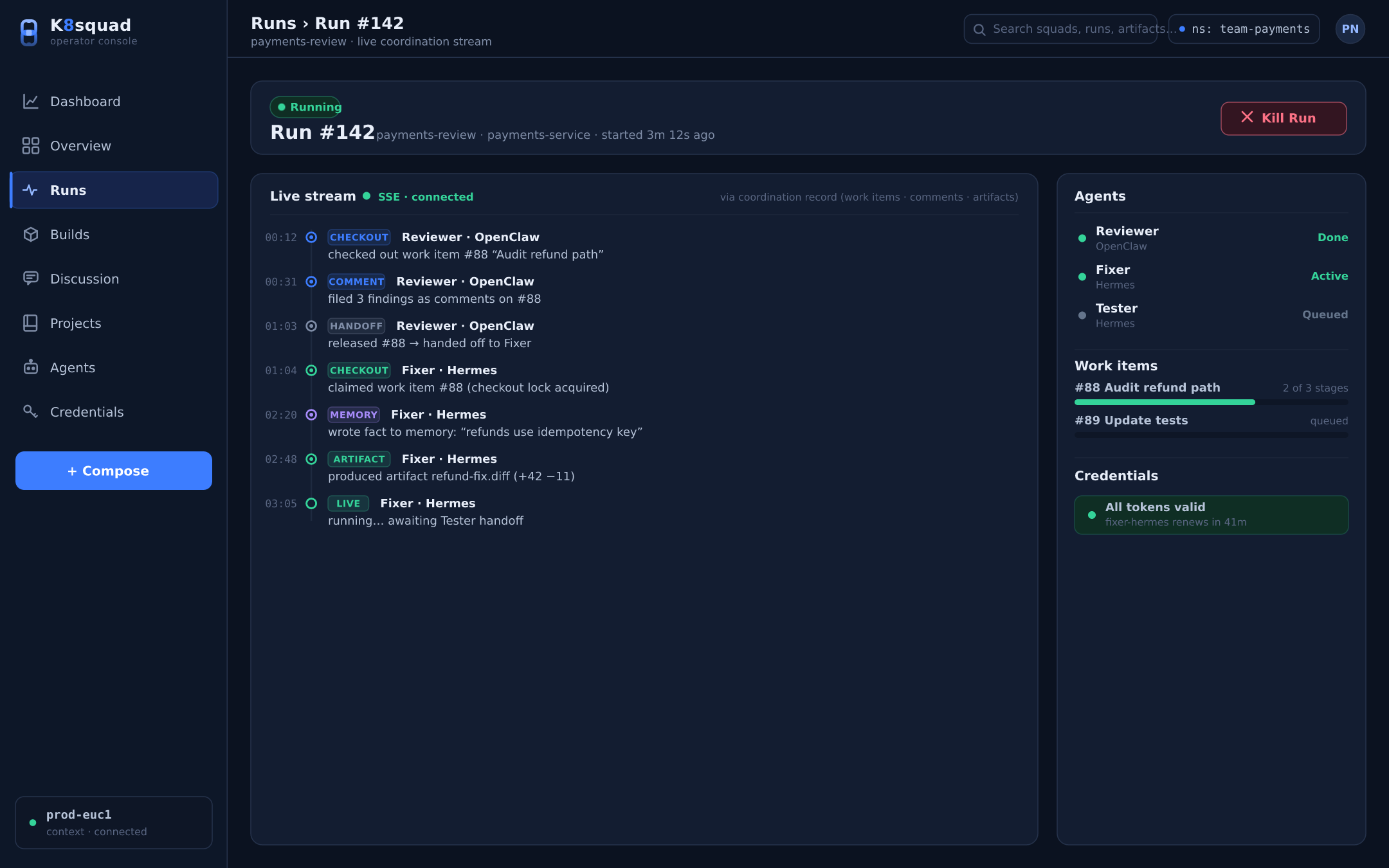
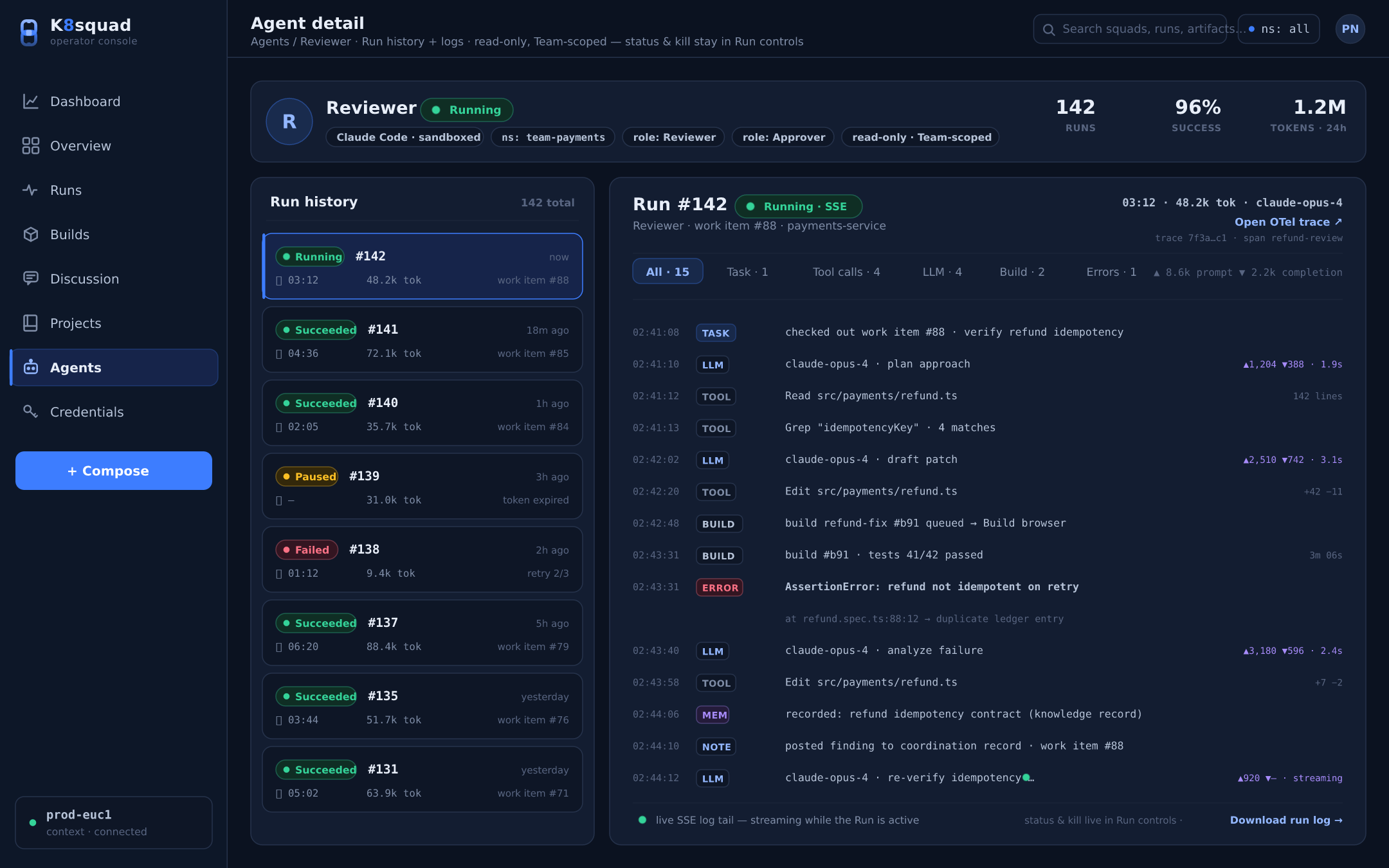
Every run emits OpenTelemetry traces and streams live over SSE. No black boxes: follow each tool call, model response, and log line as it happens, and ship the telemetry to any OTLP backend you already run.
 01
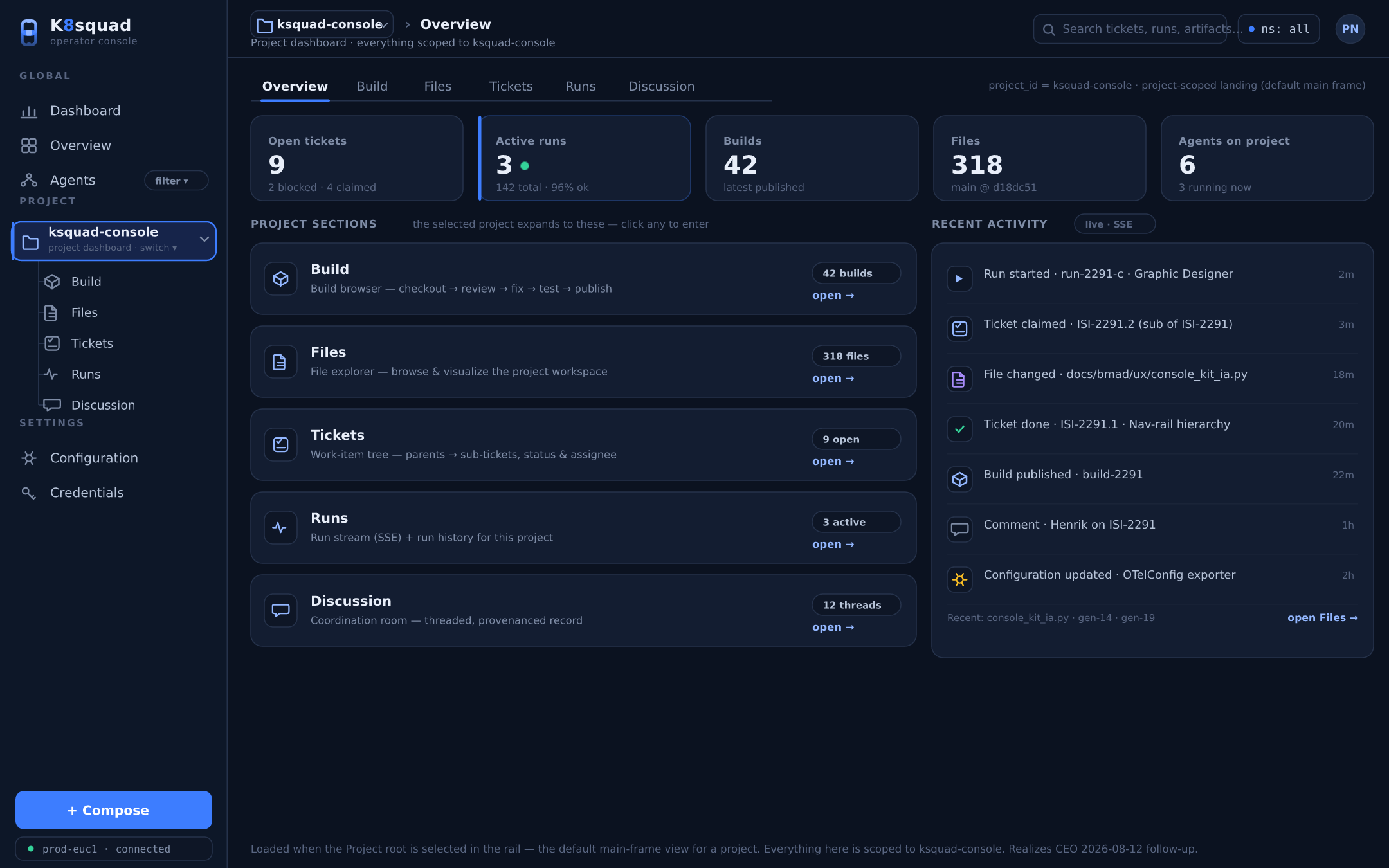
01 Every squad lives in its own project and namespace — RBAC-gated and NetworkPolicy-isolated. One team’s agents can’t see, or reach, another team’s work, credentials, or cluster.
 02
02 A live org chart of your crew: who leads, who reports to whom, and what each agent is doing right now. Leadership and role views make a running squad legible at a glance.
 03
03 Every artifact an agent produces — diffs, files, logs — is browsable across every Run and addressable by content hash. Inspect exactly what changed, and where it came from.
 04
04 Follow a Run as it unfolds over SSE: each tool call, model response, and log line, in order. A controller restart never double-drives a run, so what you see is what actually happened.
 05
05 Two global roles and three per-project access levels map cleanly onto Kubernetes RBAC — operators run the platform, authors compose the work, and everyone’s access is auditable.
 06
06 Traces, metrics, and logs out of the box. An opt-in OTelConfig CRD fans each signal out to any OTLP backend — traces to one destination, metrics to another, logs to a third.
 07
07 Extend the platform with sandboxed, least-privilege plugins that react to typed events — run.succeeded, workitem.claimed, workitem.handoff, artifact.registered, and more, over durable NATS JetStream subjects. A plugin can never block a run; a flaky endpoint can never stall the platform.
 08
08 The full operator console — dashboards, kanban, agent org, build browser — adapts from a wide NOC display down to a phone, so you can check a squad from wherever you are.
Declare a Team and its agents in YAML — each agent with a Role (how it behaves) and Skills (what tools it may use). Point a Project at a repo. kubectl apply.
The operator reconciles your objects into running agents, scheduling them as pods and wiring the coordination bus. Reconciliation is level-based — edit and re-apply, and the crew converges to match.
Agents claim work items, hand off, and coordinate through the durable bus. At most one holds an item at a time; a crashed agent’s work is reclaimed and re-dispatched. The coordination record is the audit trail.
Watch runs stream live, follow the traces, and inspect the artifacts — from the console or straight from kubectl. No orchestration code to write.
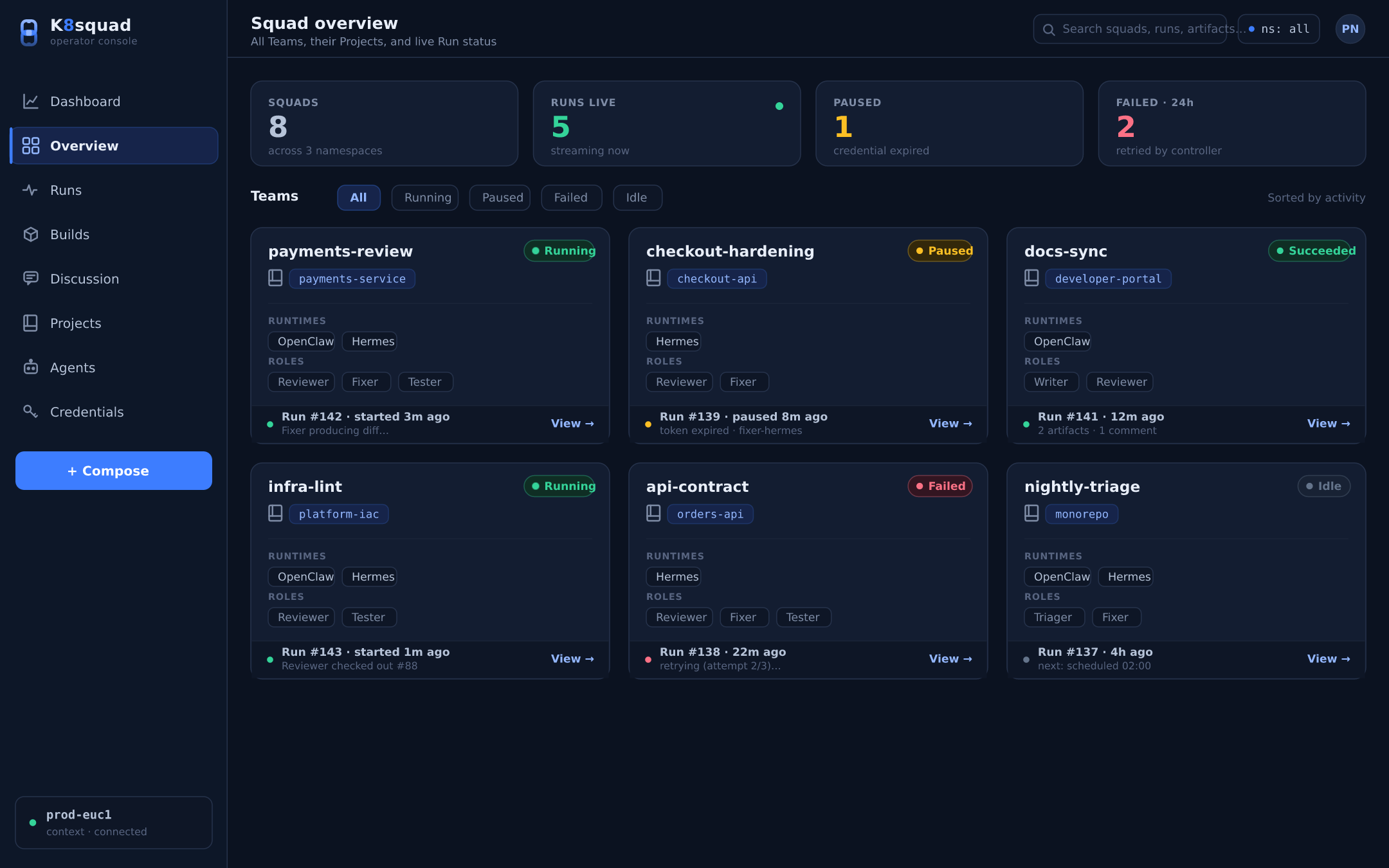
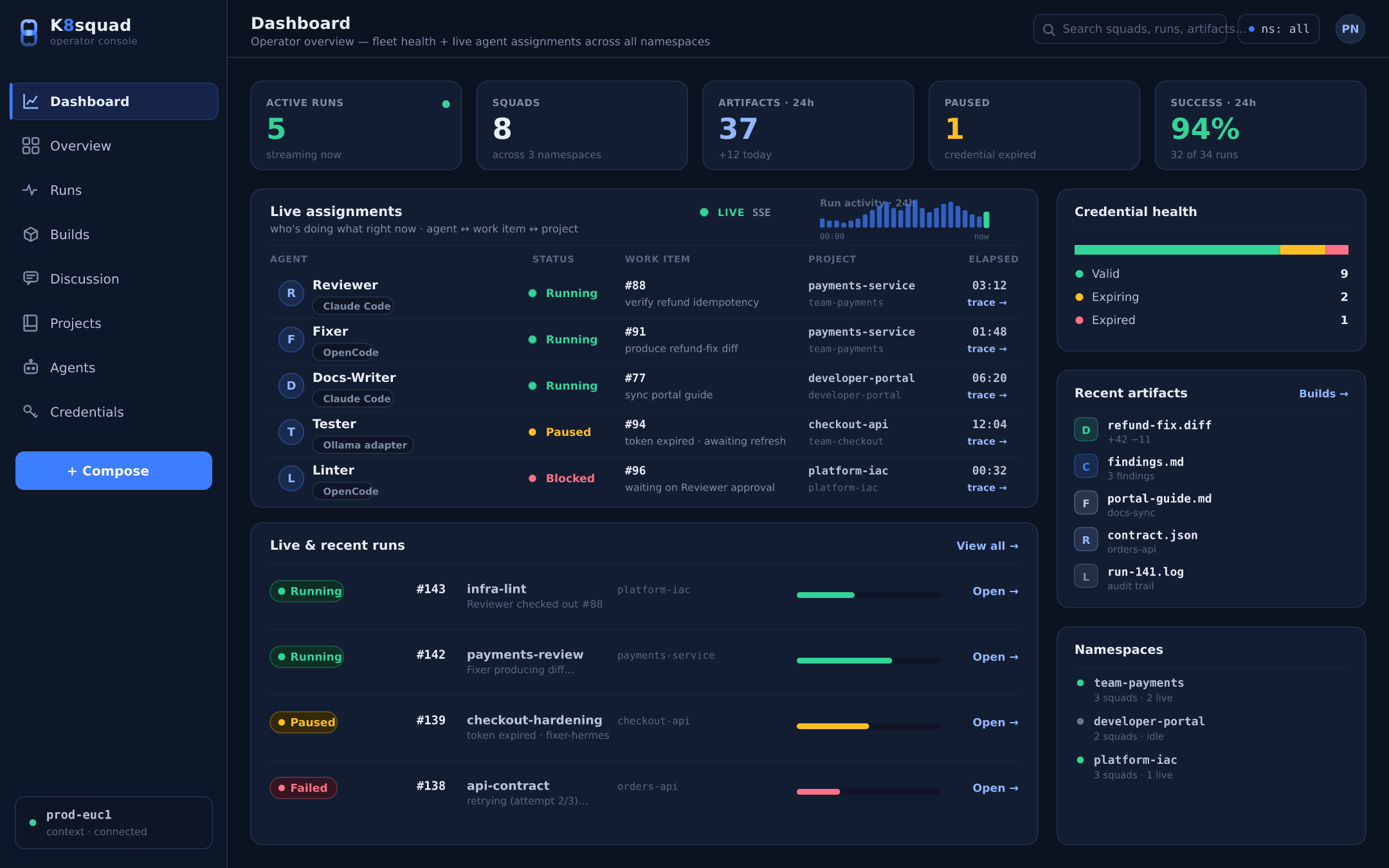
Install the operator, then open the console.
helm repo add ksquad https://charts.k8squad.io && helm install ksquad ksquad/ksquad